Introduction
Today, users expect smooth and seamless experiences when they visit a website or use an application. If a product is confusing or difficult to navigate, users may leave and choose another option. This is why UX design has become an important part of every business.
UX design is not only about making a product look good. It is about understanding users’ needs and making the product easy and convenient to use. Features like simple navigation, fast loading, clear layouts, and easy-to-use features help users have a better experience while using a website or app.
A good user experience helps businesses build customer trust, improve satisfaction, and increase engagement and sales. In this blog, we will explore what UX design is, why it is important, its key principles, and how it helps create better digital experiences for users.
Understanding User Experience (UX) Design
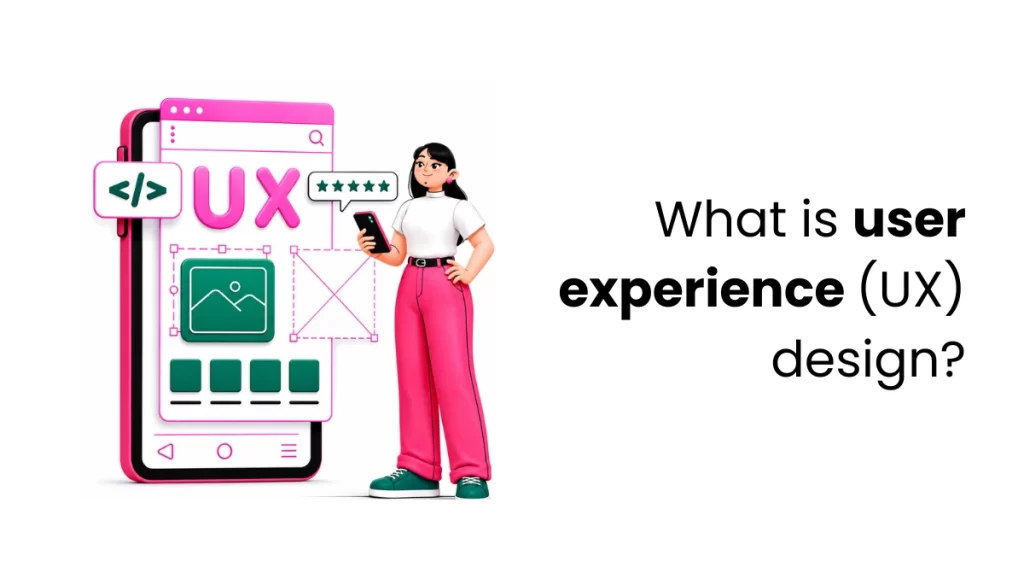
User Experience (UX) design means the process of developing websites, apps, products, and services that are easy, useful, and enjoyable to use. It helps users use a product easily and complete tasks smoothly without feeling confused or frustrated.
UX design is not only about making a product look attractive. It is about making websites, apps, and digital products easy and comfortable for people to use. Things like simple navigation, clear layouts, fast loading speed, and user-friendly features help users have a better experience.
The UX design process includes understanding users’ needs, creating sample designs, testing them, and making improvements based on feedback. UX designers study how people use a product, what problems they face, and what they expect. This helps create products that are useful for users and beneficial for businesses.
A good user experience helps businesses improve customer satisfaction, build trust, increase engagement, and improve conversions. In today’s digital world, UX design has become an important part of creating successful digital products and services.
Difference between UX and UI Design
UX and UI are integral parts of product design that help create a better user experience. Many users think they are the same, but they are not. UI is about how a website or app visually looks, including colors, buttons, and layouts. UX focuses on how easy and comfortable the product is to use. Both UI and UX design work together to create websites and apps that are attractive, simple, and user-friendly.
| UI Design (User Interface Design) | UX Design (User Experience Design) |
| Focuses on a product’s visual style and appearance. | Focuses on the complete experience users have while using a product. |
| Deals with visual elements like colors, buttons, icons, and layouts. | Deals with user experience, usability, and smooth navigation. |
| Helps create attractive and interactive interfaces. | Helps make the product simple, smooth, and easy to use. |
| Concentrates on typography, spacing, colors, and design structure. | Concentrates on user needs, functionality, and ease of use. |
| Makes the product visually appealing to users. | Makes the product comfortable and efficient for users. |
| Example: Creating a stylish and modern sign-in page. | Example: Making the sign-in process fast and simple for users. |
| Common tools: Adobe XD, Sketch, Figma. | Common tools: Axure, Balsamiq, Figma. |
| The goal is to improve the product’s visual presentation. | The goal is to improve the overall user journey and experience. |
Benefits of a Strong User Experience (UX)
User experience plays an important role in how people feel about a website, app, or digital product. When users can easily interact with a product without confusion, they are more likely to enjoy the experience and trust the brand. A good UX not only makes customers happy but also helps businesses grow in many ways.
Increased Customer Satisfaction
When a product is simple and easy to use, people can quickly find what they are looking for. This creates a smooth and pleasant experience, making customers feel satisfied and comfortable while using the product.
Better Customer Retention
When people find a product easy and comfortable to use, they are more likely to continue using it. A strong UX helps businesses build trust and keep customers coming back by making every interaction easy and consistent.
Higher Conversion Rates
A clear and user-friendly design encourages users to take actions like signing up, buying a product, or exploring more pages. When users do not face difficulties, they are more likely to complete these actions.
Reduced Support Costs
If users can easily understand how a product works, they will not need much help from customer support. This can save businesses both time and money.
Strong Brand Reputation
A well-designed user experience gives people a positive impression of a brand. Users often see easy-to-use and professional designs as more trustworthy and reliable.
Competitive Advantage
In today’s competitive market, businesses with a better user experience can stand out from others. A smooth and enjoyable experience can attract more customers and help a business stay ahead of competitors.
How to Measure User Experience (UX)
Measuring user experience helps businesses understand how people use their websites, apps, or products. It helps them find out what users like, what problems they face, and what changes are needed to improve the experience. By regularly checking UX, businesses can create products that are easier and more enjoyable to use.
Set Clear UX Goals
The first step is to decide what needs improvement. Clear goals help businesses focus on the right areas.
Some common UX goals are:
- Improving customer satisfaction
- Making the website easier to use
- Increasing sales or sign-ups
- Reducing the number of users leaving the website
Businesses should clearly identify what they want to improve before starting the process.
Collect User Feedback
Talking to users is one of the easiest ways to understand their experience. Businesses can ask users about their opinions, problems, and suggestions.
Feedback is collected via:
- Surveys
- Interviews
- Feedback forms
This helps businesses understand whether users are happy with the product and where improvements are needed.
Conduct Usability Testing
Usability testing allows businesses to see how users interact with a website or app. It shows where users get confused or face difficulties.
During testing, businesses can check:
- Whether users can complete tasks easily
- How long does it take users to finish a task?
- Whether users make mistakes while using the product
For example, businesses can test how easy it is to create an account or buy a product.
Track User Behavior
Businesses can use analytics tools to understand how users move through a website or app. These tools show where users click, which pages they visit, and where they leave the site.
Important things to track include:
- Bounce rate
- Click-through rate
- User navigation path
This helps businesses identify areas that need improvement.
Check Website or App Performance
A good user experience also depends on how well the website or app performs. Slow-loading pages or technical issues can frustrate users.
Businesses should monitor:
- Page loading speed
- Errors or bugs
- Accessibility for all users
A well-performing website makes users feel more comfortable and satisfied.
Analyze the Results
After collecting feedback and data, businesses should study the information carefully. This helps them understand common problems and areas that need improvement.
They can ask questions like:
- Are users repeatedly facing the same issues?
- Which pages have more drop-offs?
- Are some users facing more difficulties than others?
This step helps businesses make better decisions.
Make Improvements
Once problems are identified, businesses can improve the product’s design or features. They can test the updated version to see if the changes improve the user experience.
It is also important to continue checking UX metrics after making changes.
Continue Improving UX
User experience should be checked regularly because users’ needs can change over time. Businesses should continue collecting feedback, testing their products, and making improvements to provide a better user experience.
Conclusion
UX design plays a major part in developing successful websites, apps, and digital products. It focuses on making products easy to use, useful, and enjoyable for users. A good user experience helps people complete tasks smoothly without confusion or frustration, which increases customer satisfaction and trust.
As technology and user expectations continue to evolve, businesses need to regularly improve their digital products by understanding user feedback and behavior. Learning these skills through a digital marketing training institute in Kochi can help students and professionals know the importance of user-centered design and how it contributes to better online experiences and business growth.
In the future, UX design will continue to play a major role in building successful digital products that are both user-friendly and business-focused.
FAQs
1. Why is UX design important?
UX design is crucial because it helps people use a website, app, or product easily without any confusion. A good user experience makes users happy, builds trust, and helps businesses attract and keep more customers.
2.How UI and UX Design Differ?
UI design is about how a website or app visually looks, including colors, buttons, images, and layouts. UX design focuses on how easy and smooth it is for users to use a website or app.
3. What are the main aims of UX design?
The main aim of UX design is to create products that are simple, user-friendly, and helpful for users while also supporting business goals.
4.How do businesses measure user experience?
Businesses measure UX by collecting user feedback, conducting usability testing, tracking user behavior, and monitoring website or app performance.
5.What is usability testing in UX design?
Usability testing is the process of observing how people use a website or app to identify problems, confusion, and areas for improvement.