Introduction
Accounting is central to every business, and how businesses manage their accounts has changed significantly over the years. Some businesses still depend on manual data entry, spreadsheets, invoices, and regular reconciliation to keep their financial records up to date. While manual accounting can work well for smaller businesses, it can become time-consuming and difficult to manage as the business grows.
AI-assisted accounting can take some of the repetitive work off an accountant’s hands. Instead of spending hours entering data, matching transactions, preparing reports, or checking for small errors, accountants can use AI to handle these tasks. This gives them more time to focus on the numbers, deal with financial problems, and help the business make better decisions.
But does this mean every business should switch to AI accounting? Not always. Manual accounting still works well for many businesses, especially those with fewer transactions and simple accounting needs. The best option depends on business size, accounting volume, required accuracy, and available resources. In this blog, we’ll look at manual and AI accounting side by side and see how each one works in everyday business.
What Is Manual Accounting?
Manual accounting involves recording, classifying, and maintaining financial transactions with limited automation. It may involve physical journals and ledgers or spreadsheets where you manually enter and process transactions.
Many small businesses and startups still prefer manual accounting because it is easy to manage and doesn’t cost much. They can track daily sales, expenses, and other transactions using simple records instead of investing in accounting software. When a business has only a few transactions, this can be a simple and convenient way to organise its finances.
Manual accounting requires close attention to detail. Since every transaction is entered by hand, even a small mistake can affect the financial records. At the same time, working directly with financial records can help beginners better understand basic accounting concepts. It gives them a clear idea of how transactions affect a business’s accounts.
Manual accounting still has a few benefits. Since records are kept on paper, you do not need accounting software, electricity, or an internet connection to maintain them. Even if there is a technical problem or the system stops working, you can still check your physical records.
However, manual accounting can become difficult as a business grows. As you record more transactions, doing everything by hand takes longer and increases the risk of mistakes. That is why many businesses eventually switch to computerised or AI accounting. Even so, learning manual accounting is useful because it allows you to understand the basics of creating and maintaining financial records.
What Is AI in Accounting?
AI in accounting refers to using technologies such as Machine Learning (ML), Natural Language Processing (NLP), Deep Learning, and Generative AI to speed up and improve the efficiency of accounting tasks. These technologies can analyse large amounts of financial data, identify patterns, detect unusual transactions, and automate repetitive work.
AI can do tasks such as data entry, invoice processing, transaction reconciliation, financial reporting, and forecasting. This reduces manual work, improves accuracy, saves time, and helps accounting teams make better business decisions.
Key Takeaways
- AI can automate repetitive accounting tasks and analyse large amounts of financial data.
- It can improve accuracy, reduce costs, and make accounting processes more efficient.
- AI helps accountants spend less time on routine tasks and more time on analysis, planning, and decision-making.
- AI can identify unusual transaction patterns that may indicate fraud or financial risk.
- Modern accounting software increasingly includes AI-powered features.
- As AI becomes more common, accountants will need to develop new digital and analytical skills.
How Is AI Used in Accounting?
AI is already being used in areas such as bookkeeping, tax preparation, auditing, financial reporting, and data analysis. Large accounting firms are using AI to improve audit processes, manage workflows, and analyse financial information more efficiently. Smaller accounting firms are also increasingly using AI for tasks such as bookkeeping, research, and tax preparation.
AI can be a helpful tool for auditors who deal with large amounts of financial data. It can quickly review thousands of transactions and flag anything unusual. This saves auditors from manually reviewing every entry. They can then spend more time investigating potential issues, identifying risks, and making the audit process faster and easier.
AI can also make tasks like invoice processing, reconciliation, forecasting, and financial analysis much easier. Overall, AI is changing accountants’ roles by shifting their focus from routine processing to analysis, financial planning, risk assessment, and business support.
Manual Accounting vs AI-assisted Accounting: What’s the Difference?
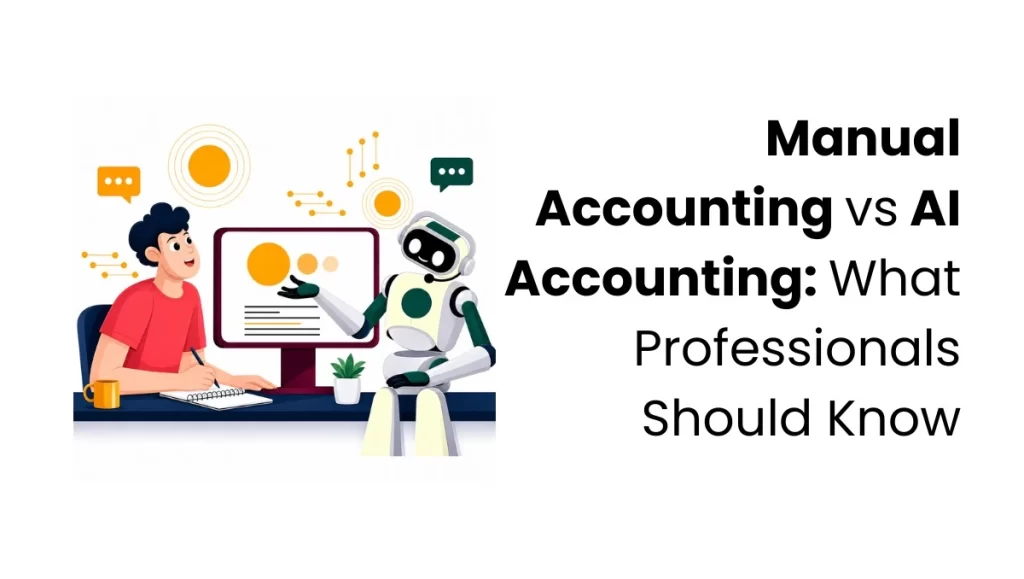
The main difference between manual and AI-assisted accounting is how the work is divided between accountants and technology. In manual accounting, accountants handle most tasks themselves, such as entering data, checking transactions, matching records, and preparing reports. With AI-assisted accounting, software can handle many repetitive tasks or help accountants complete them faster. This reduces manual work and gives accountants more time to analyse financial information and make important decisions.
| Factor | Manual Accounting | AI-assisted Accounting |
| Data Entry | Data is entered manually, often line by line. | Data is captured automatically from invoices and bank feeds. |
| Error Detection | Mistakes may be found during reviews or audits. | Unusual entries and mismatches can be flagged quickly. |
| GST Compliance | Calculations and reconciliations require manual effort. | GST data can be matched, and GST-related reports can be prepared with automated tools. |
| Reconciliation | Transactions are matched manually. | Transactions can be matched continuously. |
| Audit Trail | Depends on how records are maintained. | Digital logs and transaction histories are maintained automatically. |
| Financial Reports | Usually prepared after a reporting period. | Reports and dashboards can be updated automatically as new financial data is recorded. |
| Scalability | Workload increases as transactions increase. | Automation makes it easier to handle higher transaction volumes. |
| Cost | Lower software cost but higher labour and time costs. | Higher software cost but less manual effort. |
For businesses dealing with a growing number of transactions, this difference can make accounting much easier to manage.
Which Is More Cost-Effective, Manual Accounting or AI-Assisted Accounting?
The more cost-effective option depends on how much accounting work a business handles each month. It is not just about the cost of accounting software. Labour costs, time spent on bookkeeping, and the risk of errors also matter.
Low-volume businesses
For a business with only a few transactions, manual bookkeeping or spreadsheets may still do the job and can be more budget-friendly. Whether you choose manual or AI-assisted accounting really depends on how complicated your transactions are, how much time you have, your budget, and the resources available.
High-volume businesses
For businesses handling many invoices, payroll, and GST tasks each month, AI-assisted accounting can save time and reduce the burden of routine work.
Labour cost impact
The time employees spend on data entry, reconciliation, and other routine tasks also adds to accounting costs. For example, if an employee spends 15 hours a month on these tasks, the business is effectively paying for those hours.
Compliance risk
When accounting is done manually, small mistakes can sometimes slip through. If an error ends up in a GST return or other financial records, it can take time to find and fix. In some cases, it may even lead to penalties.
AI-assisted tool costs
The cost of AI-assisted accounting software varies by provider, features, number of users, integrations, and business requirements.
Break-even point
No fixed transaction threshold determines when automation becomes cost-effective. Businesses should compare software costs with the time spent on manual bookkeeping, transaction complexity, reporting requirements, and the potential cost of errors.
Which Accounting Tasks Can AI Handle and Which Need Human Attention?
Not every accounting function responds equally well to automation. Some tasks are rule-based and repetitive, making them well-suited to AI tools, while others require judgment.
Tasks That Can Be Easily Automated
- Bank reconciliation: AI features can match transactions in bank statements with the corresponding entries in the accounting records.
- Invoice and payment tracking: AI features in accounting softwares may help analyse payment patterns and identify unusual activity.
- GST Processing: Automated accounting software can make GST work much easier. It can help calculate GST, match transactions, check input tax credit details, and prepare the information needed for GST returns. However, accountants should still review everything carefully before filing to avoid mistakes.
- Payroll processing: Payroll software can calculate salaries and manage deductions like PF and ESI. AI can also help by analysing payroll data and pointing out unusual entries or possible errors, making it easier for accountants to spot issues.
- Expense categorisation: AI can identify and sort expenses by vendor or transaction type.
Tasks that still need human oversight
- Reviewing unusual transactions that fall outside normal patterns
- Making adjusting journal entries at period end
- Interpreting financial reports to make business decisions
- Handling disputes with vendors, customers or tax authorities
- Approving write-offs, provisions and estimates
Conclusion
Manual accounting can work well when a business has only a small number of transactions. But as the business grows, managing everything by hand takes more time and increases the risk of errors and compliance issues. AI-assisted accounting can reduce this workload by automating repetitive tasks and making processes such as GST data preparation, reconciliation, and reporting easier to manage.
Businesses don’t need to adopt AI just because it is a newer technology. The right choice depends on business size, transaction volume, and accounting needs. As the business grows, using AI for routine tasks while having an accountant review important work can make things much easier. It can save time, reduce mistakes, and keep financial records organised. For professionals who want to keep up with these changes, accounting courses in Bangalore can be a good way to learn both basic accounting and modern accounting tools.
FAQs
1. Can AI-assisted accounting software make errors?
Yes. AI accounting systems can make mistakes, especially when the information they receive is incomplete or incorrect. That is why accountants should always check important entries and reports instead of relying completely on what the system produces.
2. How long does it take to move from manual books to accounting software?
It depends on the business and how much data needs to be moved. A small business with a few records can make the switch fairly quickly. Businesses with a large amount of old data may need more time to organise, transfer, and check everything.
3. Does AI-assisted accounting reduce the need for a chartered accountant?
No. AI can handle many routine accounting tasks, but it cannot replace a chartered accountant’s professional judgement and experience. A CA may still be required for audits, tax matters, compliance, financial planning, and other responsibilities that require professional expertise.
4. What happens to data security in cloud-based accounting software?
Cloud accounting platforms provide security features such as access controls, authentication, encryption, and data backups. Security measures vary by provider, so businesses should review the platform’s security practices before choosing a service.
5. Is AI-assisted accounting suitable for seasonal businesses?
Yes. AI-assisted accounting can help seasonal businesses manage higher transaction volumes during busy periods. It can assist with tasks such as data entry, invoice processing, reconciliation, and reporting.