A website can lose rankings, traffic, and leads without any clear warning signs. In many cases, the problem is not a Google update or increasing competition. It is usually hidden inside the website itself: broken pages, slow loading speed, weak internal linking, poor content structure, indexing issues, or outdated SEO practices. Many businesses only notice these problems after traffic starts dropping.
If you are a business owner, marketing professional, or a student planning to build a career through a digital marketing training institute in Kochi, learning how to perform a complete SEO audit is an important skill.
In this guide, you will learn how to perform a complete SEO audit step by step using practical methods that actually help improve rankings, traffic, and website performance.
What Is an SEO Audit?
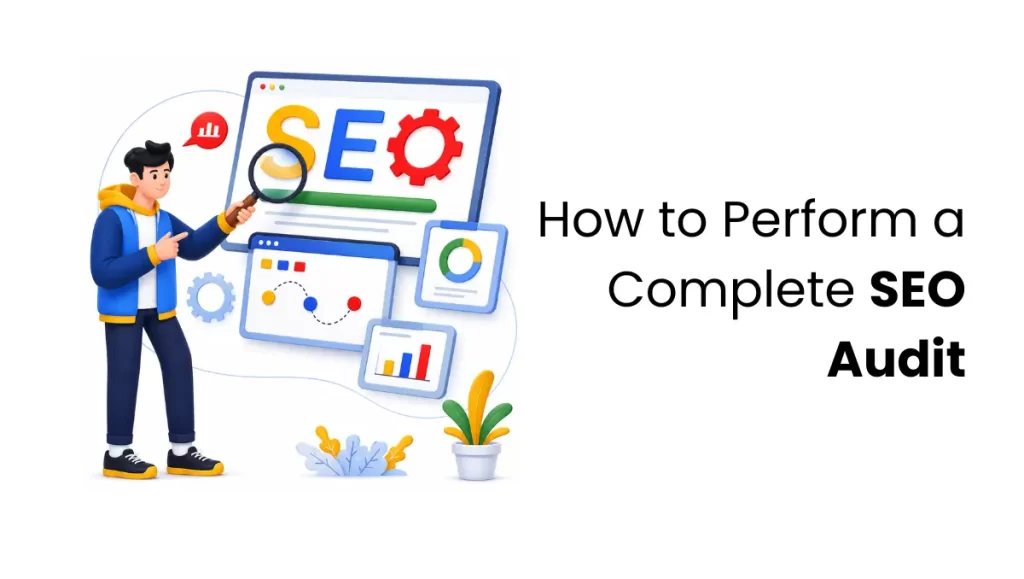
An SEO audit is the process of evaluating a website to find issues that impact its visibility on search engines like Google.
A complete website SEO audit helps you find issues related to:
- Technical SEO
- On-page SEO
- Website speed
- Content quality
- Internal linking
- Mobile usability
- Backlinks
The goal is simple:
Find what is stopping your website from ranking well and fix those issues to improve traffic, visibility, and conversions.
A proper SEO audit checklist helps businesses understand:
- Why rankings dropped
- Why are pages not getting traffic
- Which SEO problems need immediate attention
- What improvements can increase organic growth
Phase 1: Technical Infrastructure & Crawlability
If search engine bots cannot properly read or find your pages, your website will struggle to rank. This phase ensures search engines can crawl your website efficiently without wasting time on low-value pages.
Audit Your Crawl Budget
Search engines used to allocate a limited amount of crawling resources to every website, often referred to as crawl budget. While this is particularly important for large websites, all websites benefit from reducing unnecessary URLs, duplicate content, and low-value archives. This step in a technical SEO audit helps ensure that search engines prioritize the most important pages on your website.
Check Robots.txt and XML Sitemaps
Open your sitemap.xml file and check whether it includes only important, live pages that should appear in search results. Then review your robots.txt file carefully to ensure you are not accidentally blocking important sections of your website from search engines.
You should also check:
- Noindex pages
- Canonical tags
- Duplicate URLs
- Redirected pages inside sitemaps
Small technical mistakes here can create major indexing problems.
Analyze Index Coverage Reports
A complete website SEO audit should also include a review of your Index Coverage reports in Google Search Console. This helps identify pages that Google has discovered but may not be indexing properly.
Focus on the following areas:
- Indexed pages
- Excluded pages
- Crawled – currently not indexed pages
- Discovered – currently not indexed pages
- Pages blocked by robots.txt
- Soft 404 pages
These reports help identify hidden indexing issues that may stop important pages from appearing in search results.
Fix Broken Pages and Redirect Issues
You can use SEO audit tools such as:
- Google Search Console
- Screaming Frog (free for up to 500 URLs)
- Ahrefs
- Semrush
These tools are very helpful for identifying and fixing 404 errors, Broken internal links, redirect chains, redirect loops and server errors (5xx). Broken pages can harm the user experience and make it harder for search engines to access and crawl your website properly.
Verify HTTPS and Website Security
Search engines prefer secure websites. During your SEO audit, check whether your website is fully using HTTPS and that all pages load securely.
Review:
- SSL certificate validity
- HTTP to HTTPS redirects
- Mixed content warnings
- Secure loading of images, scripts, and resources
Security-related issues can negatively affect user trust, website performance, and search visibility.
Manage AI Search Engine Bots
AI tools like ChatGPT, Gemini, and other AI search platforms now read website content using bots such as GPTBot and OAI-SearchBot. During your SEO audit, check whether these bots are allowed to access your website content through your robots.txt settings.
If blocked, some AI platforms may not be able to access your content directly. Allowing AI crawlers can improve content discoverability and may increase the likelihood of your content being referenced in certain AI-powered search experiences.
Phase 2: On-Page Architecture & Semantic Structure
Once search engines can properly crawl your website, the next step is organizing your content clearly. Search engines prefer websites that cover topics completely and logically. This is often called topical authority.
For example, if your website talks about SEO audits, it should also cover related topics like:
- Technical SEO
- On-page SEO
- Keyword research
- Internal linking
- Content optimization
This helps search engines better understand your expertise.
The Topic Cluster Audit
Instead of publishing random blog posts, your content should be connected through clear topic clusters. A pillar page covers a broad topic, while smaller supporting pages explain specific questions related to that topic.
This structure improves:
- Internal linking
- User navigation
- Search engine understanding
- Topic relevance
Common Structural SEO Issues to Audit
Internal Linking
Many websites fail to pass authority effectively because important pages receive very few internal links. Review your blog posts, category pages, and related content to ensure key pages receive contextual internal links.
Keyword Cannibalization
Keyword cannibalization occurs when two or more pages compete for the same keyword or user search intent. Instead of automatically merging pages, evaluate whether the content should be merged, consolidated, redirected, or repositioned to target different search intents.
Structured Schema Data
Schema markup helps search engines better understand the purpose and content of your pages. Review whether important pages use appropriate schema types such as FAQ, Article, Course, Product, or Organization schema where relevant. Proper schema implementation can improve search engine understanding and may enhance how your pages appear in search results.
Phase 3: Speed, Performance & Mobile Experience
A slow website damages both rankings and conversions. Search engines now prioritize websites that provide fast and smooth user experiences.
Focus on Core Web Performance
Do not focus only on basic speed scores. Measure performance based on how real users experience your website.
Important performance metrics include:
- Largest Contentful Paint (LCP)
- Interaction to Next Paint (INP)
- Cumulative Layout Shift (CLS)
INP officially succeeded First Input Delay (FID) as a Core Web Vital and measures the speed at which a page responds to user interactions. Monitoring these metrics helps identify performance issues that can affect both user experience and search visibility.
These metrics measure:
- How quickly does content load
- How fast pages respond to clicks
- How stable the layout remains during loading
Improving these areas helps both SEO and user experience.
Improve Website Speed
Common causes of slow websites include:
- Large image sizes
- Slow hosting
- Heavy JavaScript files
- Too many plugins
- Unused CSS or code
Use tools like Google PageSpeed Insights and GTmetrix to identify performance issues. A slow website often loses visitors before they even interact with the page.
Perform a Mobile-First SEO Check
Most users now visit websites using mobile devices. Google also uses the mobile version of your website to crawl, index, and rank your pages in search results.
Check whether your site has:
- Responsive design
- Readable text sizes
- Easy-to-click buttons
- Fast mobile loading speed
- Proper mobile navigation
Poor mobile usability can reduce rankings and conversions quickly.
Phase 4: Data-Driven Content Optimization
You do not need to guess what changes to make to your content. By looking at your Google Search Console (GSC) data, you can find immediate opportunities to increase your traffic.
Step 1: Find Pages with High Impressions but Low Clicks
Log in to Google Search Console and look at your performance data over the last 3 to 6 months. Identify pages that show up a lot in search results but have very few clicks.
Step 2: Identify Pages Ranking Between Positions 8 and 20
Google Search Console can also reveal pages that are already close to ranking on the first page of search results. Filter your performance report to find pages ranking between positions 8 and 20.
These pages often provide some of the fastest SEO wins because small improvements can significantly increase visibility and traffic.
Look for opportunities to:
- Expand content depth
- Improve internal linking
- Add missing subtopics
- Strengthen search intent alignment
- Update outdated information
Step 3: Optimize Titles and Meta Tags
If a page has high impressions but low clicks, your title tag and meta description may not be compelling enough. You have to sort pages by impressions and identify URLs with below-average click-through rates. It is also ideal to compare your titles with competing pages that rank above you and to look for opportunities to improve clarity, relevance, and search-intent alignment before rewriting title tags and meta descriptions.
Rewrite title tags and meta descriptions to make them:
- Clear
- Engaging
- Relevant to user intent
- Helpful for searchers
Just glance at this better title example: “How to Perform a Complete SEO Audit for Better Rankings”. Please note that meta descriptions should clearly explain what users will learn from the page.
Step 4: Run a Content Quality Cleanup
Look for old or outdated blog posts that receive little or no traffic.
Some pages may:
- Contains outdated information
- Have weak explanations
- Target outdated keywords
- Provides very little value
You can update the content and merge it into stronger pages, or remove it completely if it adds no value. Publishing large amounts of weak content usually hurts SEO performance over time.
Phase 5: Link Equity & Authority Audit
Backlinks remain an important ranking factor. Links from trusted websites help search engines understand that your content is reliable and valuable.
Fix Broken Backlinks
Sometimes other websites link to pages that no longer exist on your website. This means valuable SEO authority from other websites is being wasted on a broken page instead of helping a live page rank better. Find these broken URLs and create proper 301 redirects to relevant live pages.
Check Internal Link Flow
Your most important pages should receive the highest number of internal links.
For example:
- Service pages
- Course pages
- Important landing pages
These should receive contextual links from blog posts and related content. This helps search engines understand which pages matter most to your business.
Common SEO Audit Mistakes
Many businesses perform SEO audits incorrectly. Here are some common mistakes to avoid.
Depending Only on SEO Tools
SEO audit tools help identify problems, but they cannot fully understand:
- Search intent
- Content quality
- User experience
- Business goals
Use tools for analysis, but make decisions using real human understanding.
Ignoring Search Intent
Many websites focus too much on keywords and forget what users actually want.
If someone searches:
How to perform an SEO audit
they expect:
- Step-by-step guidance
- SEO audit tools
- Practical explanations
- Actionable advice
Content that does not satisfy user intent usually struggles to rank.
Fixing Low-Impact Problems First
Some businesses spend weeks improving small SEO scores while ignoring serious technical or content problems.
Always prioritize high-impact issues first, such as:
- Indexing problems
- Broken pages
- Search intent mismatch
- Slow important pages
- Weak content quality
Useful SEO Audit Tools
| Tool | Purpose |
| Google Search Console | Indexing and search performance analysis |
| Google Analytics | Traffic and user behavior tracking |
| Screaming Frog | Technical SEO audit and crawl analysis |
| Ahrefs | Backlink and keyword analysis |
| Semrush | SEO audit reports and competitor research |
| PageSpeed Insights | Website speed testing |
| GTmetrix | Performance and loading speed analysis |
These tools help businesses perform a more accurate and data-driven SEO audit.
Turning SEO Audits into Practical Skills
An SEO audit is not a one-time task. Search algorithms, user behavior, and search trends constantly change. Businesses must regularly monitor, analyze, and improve their websites to stay competitive.
A complete SEO audit helps businesses:
- Improve rankings
- Increase organic traffic
- Fix technical issues
- Improve user experience
- Build stronger search visibility
More importantly, it helps businesses make smarter marketing decisions based on real data instead of assumptions.
Learn Practical SEO and Digital Marketing with Finprov Learning
Learning SEO theory is useful, but real growth happens through practical experience. As a leading digital marketing training institute in Kochi, we help students build hands-on experience through our Digital Marketing Specialist Program and Advanced Digital Marketing Course, with training in:
- SEO audits
- Technical SEO
- Content optimization
- Google Ads
- Social media marketing
- AI-driven digital marketing strategies
Students work on real projects, use industry-standard tools, and learn practical execution methods used by professional digital marketers.
As search engines continue changing, businesses increasingly need marketers who understand both technical SEO and practical execution. Learning how to perform a complete SEO audit is no longer just an advanced marketing skill. It has become a core requirement for building long-term online visibility.
FAQs
1. How long does it take to see results after fixing SEO audit issues?
SEO audit improvements can start showing results within a few days to several weeks, depending on the issue and how quickly search engines recrawl your website. Technical fixes are often reflected faster, while content and on-page SEO improvements typically take longer.
2. How often should you perform an SEO audit?
Most websites should perform a complete SEO audit every 3 to 6 months. Websites that publish content frequently, run active SEO campaigns, or experience traffic fluctuations may benefit from more frequent audits.
3. What are the most important parts of an SEO audit?
The most important parts of an SEO audit include technical SEO, crawlability, indexing, page speed, content quality, internal linking, mobile usability, backlinks, and search intent optimization. These areas have the greatest impact on search visibility and organic traffic.
4. Which tools are commonly used for SEO audits?
Popular SEO audit tools include Google Search Console, Google Analytics, Screaming Frog, Ahrefs, Semrush, Google PageSpeed Insights, and GTmetrix. These tools help identify technical issues, performance problems, indexing errors, and backlink opportunities.
5. Why is search intent important in an SEO audit?
Search intent is important because it helps ensure your content matches what users are looking for. Pages that align with user intent are more likely to rank well, attract qualified traffic, and improve engagement metrics.