Why Businesses Can’t Depend on Manual Billing Anymore?
If you walk into small retail shops during peak hours, you may still find cashiers manually using calculators to calculate totals and referring to notebooks to keep track of customers in line. This manual approach often forces them to handle multiple tasks at once, making the checkout process slower and more likely to result in errors. While it may not look like a major issue on its own, it shows deeper gaps in the way operations are managed. Over time, these small issues gradually increase and lead to more serious challenges related to stock management, accounting accuracy, and financial tracking.
Today, almost all retail counters have already opted for POS systems because they need fast, accurate, and reliable data. That is exactly what a POS system provides. Because of this, people working in finance and business need to know how to use these tools. That’s why many students planning a career in this field now look for practical accounting training in Bangalore that gives them hands-on experience with the tools used in real business.
What is a POS System?
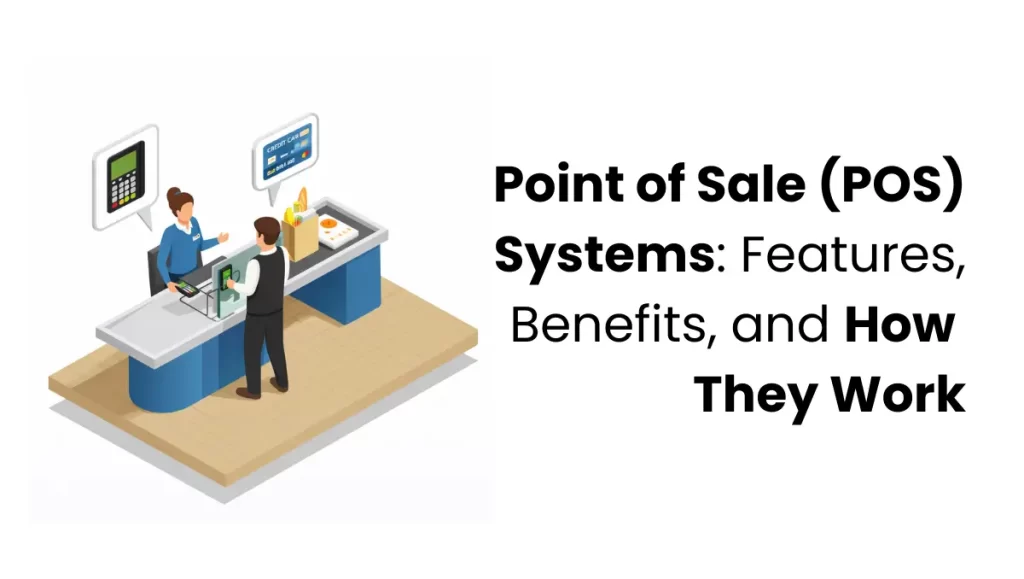
A POS system combines hardware and software to process sales and manage operations in real-time, making it an essential tool for businesses.
Instead of manually calculating bills and recording sales, a POS system automates the entire process. It handles billing, tracks inventory, calculates taxes, processes payments, and stores transaction data in a structured way. While a POS system’s main role is to handle sales, it actually does much more than just billing.
Key Components of a POS System
A POS system works through two main parts:
Hardware
This includes the physical devices used during a transaction:
- Barcode scanner for reading product details
- Billing terminal or computer
- Receipt printer
- Card payment machine
Software
This is the system that runs in the background. Many businesses use versatile accounting software that supports POS modules, such as TallyPrime, Zoho Books, or QuickBooks, to ensure their sales data flows directly into their financial records. The hardware captures the input, and the software processes and stores the information. Together, they form a complete point of sale software system that manages business transactions efficiently.
How Does a POS System Work? (Step-by-Step Process)
The process inside a POS system is structured, fast, and consistent. Every transaction follows a clear flow.
1. Product Selection or Scanning
The cashier scans the barcode or selects the product from the system. Each product is already stored in the database with its details.
2. Price Retrieval from Database
Once scanned, the system instantly pulls the product’s price and description. There is no need to manually enter values.
3. Tax Calculation (GST Included)
The system automatically calculates GST or any applicable taxes based on predefined rules. This reduces errors and ensures compliance.
4. Payment Processing
The customer completes the payment using cash, card, UPI, or digital wallets. The POS system supports multiple payment methods without additional effort.
5. Invoice Generation
A bill is generated immediately. It can be printed or shared digitally, depending on the setup.
6. Inventory Update in Real Time
As soon as the sale is completed, the system updates the inventory. The sold quantity is deducted automatically.
This entire process takes just a few seconds. More importantly, it ensures that every transaction is recorded accurately without manual intervention.
Key Features of a POS System (Explained with Real Use Cases)
Understanding the features of a POS system is useful, but what truly matters is how these features improve day-to-day business operations.
Inventory Management
Scenario: A local supermarket runs a weekend sale on sunflower oil. Without a POS, the manager only realizes they are out of stock when a frustrated customer brings an empty shelf to their attention.
POS Solution: The system tracks every bottle scanned. When stock hits a “low-limit” of 10 units, it automatically flags the item for reordering, ensuring the shelf is never empty during peak hours.
Billing and Payment Processing
Scenario: At 6:00 PM, a retail store has a line of ten customers. Manual billing requires the cashier to remember prices or check tags, leading to a 3-minute wait per person.
POS Solution: With a barcode scanner and integrated UPI/Card payments, the checkout time drops to 30 seconds. The system handles the math and the GST instantly, keeping the line moving and customers happy. Think of the checkout counters at popular retail outlets like Reliance Smart, DMart, or Westside; the speed and accuracy you see there are only possible because of integrated POS systems.
Sales Reporting and Analytics
Scenario: A boutique owner is busy but not making the profit they expected and doesn’t know which products aren’t selling well.
POS Solution: The owner checks the “Product Performance Report” and finds that, while t-shirts are the top sellers, most of the profit comes from high-end accessories. Using this information, they adjust their marketing efforts to focus on the products that generate real profit, guided by the report instead of guesswork.
Customer Management
Scenario: A regular customer walks into a cafe, but the staff has no record of their previous visits or preferences.
POS Solution: The POS system identifies the customer through their phone number and shows that they always order a Sugar-Free coffee. The staff can then offer a personalised discount or recommendation, instantly creating a more personalised experience and building brand loyalty.
Employee Management
Scenario: At the end of the day, the cash drawer is short by ₹500. With four people sharing one register, there is no way to know where the error occurred.
POS Solution: Every staff member logs in with a unique ID. The system tracks exactly who processed which transaction, ensuring accountability and making it easy to identify if a specific employee needs more training on the billing software.
How POS Systems Integrate with Accounting Software
For a commerce student, the most important part of a POS system is how it connects to accounting software. In a practical work environment, you don’t treat sales and accounting as two separate things. They are connected.
Automatic Voucher Entry: In traditional accounting, sales are recorded manually. However, with an integrated POS, every time a bill is printed at the counter, a Sales Voucher is automatically created in TallyPrime. This removes the need for data entry at the end of the day.
Real-time Ledger Updates: When a customer pays via UPI or Credit Card, the POS system doesn’t just record a sale; it automatically updates the Bank and Cash Ledgers. You will see your balances update instantly without opening a separate ledger book.
GST Calculation and Mapping: One of the core parts of your syllabus is GST. A POS system is programmed to identify CGST and SGST based on the product category. When integrated, these taxes are automatically posted to the correct tax ledgers, making GST reconciliation much easier.
Live Stock Management: As you scan items for a sale, the Closing Stock in your accounting reports reduces automatically. This ensures that the financial statements you prepare always reflect the actual stock sitting in the warehouse or shop.
Understanding this connection is a key part of becoming a professional accountant. It prepares you for real-world jobs where you need to manage the high-volume accounts of modern retail stores.
Benefits of Using a POS System for Businesses
The real value of a POS system is not in its features but in the results it delivers.
Reduces Billing Errors
Manual calculations can lead to mistakes, and even a small error can affect customer trust and financial accuracy. A POS system helps prevent these mistakes by automating the billing process.
Speeds Up Checkout Process
Long queues frustrate customers. Faster billing improves the overall shopping experience and increases efficiency.
Better Financial Tracking
Every transaction is recorded and stored. This creates a reliable financial record that can be used for analysis, reporting, and audits.
Improved Inventory Control
Stock levels are always updated in real time. This prevents confusion and helps businesses maintain the right balance of products.
Data-Driven Decision Making
Instead of relying on assumptions, businesses can use actual data to plan inventory, pricing, and promotions.
Types of POS Systems Used in Different Industries
Different industries have different requirements, which is why POS systems come in various forms.
Retail POS Systems
Used in shops and supermarkets for handling product sales and inventory.
Restaurant POS Systems
Designed to manage orders, tables, and billing in food service environments.
Mobile POS Systems
Operate on smartphones or tablets, useful for small or on-the-go businesses.
Cloud-Based POS Systems
Store data online, allowing access from anywhere and making the system scalable.
Each type is designed to match the workflow of a specific business environment. Learning about these different systems is often included in programs like an accounting course in Bangalore, so students understand how tools change across industries.
Why POS Systems Matter in Accounting and Finance
A POS system is directly connected to accounting. Every transaction processed through the system becomes part of the business’s financial data.
Sales records generated by the POS system are used to:
- Track revenue
- Calculate GST accurately
- Prepare financial statements
- Conduct audits and reconciliation
Without a structured system, maintaining accurate financial records becomes difficult. Manual entries often lead to inconsistencies and missing data.
A POS system ensures that every transaction is recorded in a standardized format, making accounting more reliable and efficient. Most modern POS systems are also connected with accounting software like Tally, Zoho Books, and QuickBooks. This allows sales data to be recorded automatically in financial reports without manual entry.
How Learning POS Systems Helps in Building a Career in Accounting
There is a clear gap between academic learning and real-world job requirements. Many commerce students understand theory but struggle with practical tools used in businesses. POS systems are one of those tools. This is why many students prefer a job-oriented accounting course in Bangalore, where they can work with tools like POS systems instead of just learning theory. Understanding how POS systems work gives students exposure to real business transactions. It helps them understand billing, taxation, and financial recording in a practical context. Employers expect candidates to be familiar with such systems. Having this knowledge makes a noticeable difference during interviews and on the job.
Common Mistakes Businesses Make Without a POS System
Businesses that avoid adopting POS systems often face repeated operational issues.
- One of the most common problems is billing errors caused by manual calculations. These errors not only affect financial accuracy but also reduce customer trust.
- Another issue is poor inventory management. Without real-time tracking, businesses either run out of stock or over-purchase products that don’t sell.
- Financial tracking also becomes inconsistent. Without proper records, it is difficult to analyze performance or prepare accurate reports.
- Finally, slow checkout processes affect customer experience. In competitive markets, even small delays can lead to lost sales.
Conclusion
A POS system is no longer an optional tool for businesses. It has become a basic requirement for managing daily operations efficiently. From billing and inventory to financial tracking and reporting, it brings structure and accuracy to every part of the business. It reduces errors, improves speed, and provides clear insights into performance.
At the same time, it also supports accounting. Every transaction recorded through a POS system contributes to reliable financial data. For students and professionals entering the field of commerce or finance, understanding POS systems is not an extra skill-it is part of the job. Businesses expect it, and those who have practical knowledge stand at a clear advantage. Institutions like Finprov Learning combine hands-on training with theoretical knowledge, helping learners become job-ready while familiarizing themselves with essential tools like POS systems.
FAQs
What is a POS system and how does it work?
A POS system is a business tool used to handle sales and billing. It works by scanning products, displaying prices, calculating taxes, processing payments, and automatically updating stock. This makes the entire billing process faster, more accurate, and easier to manage without manual calculations or record-keeping.
Why is a POS system better than manual billing?
A POS system reduces mistakes by automating billing and tax calculations. It is faster than manual billing and keeps all records stored safely. It also updates inventory instantly. This helps businesses avoid errors, reduce delays at checkout, and manage sales and stock more efficiently.
What are the main features of a POS system?
A POS system includes features like billing, inventory tracking, sales reports, and payment processing. It also supports multiple payment methods such as cash, cards, and UPI. These features help businesses handle daily operations smoothly and keep all data organized in one place.
How does a POS system help in inventory management?
A POS system automatically updates stock when a product is sold. It shows how much stock is left and alerts when items are low. This helps businesses avoid running out of products or overstocking, making inventory management simple and accurate without manual tracking.
What are the different types of POS systems?
There are different types of POS systems based on business needs. Retail POS is used in shops, restaurant POS is used in food businesses, mobile POS works on phones or tablets, and cloud-based POS stores data online. Each type is designed to match how different businesses operate.